
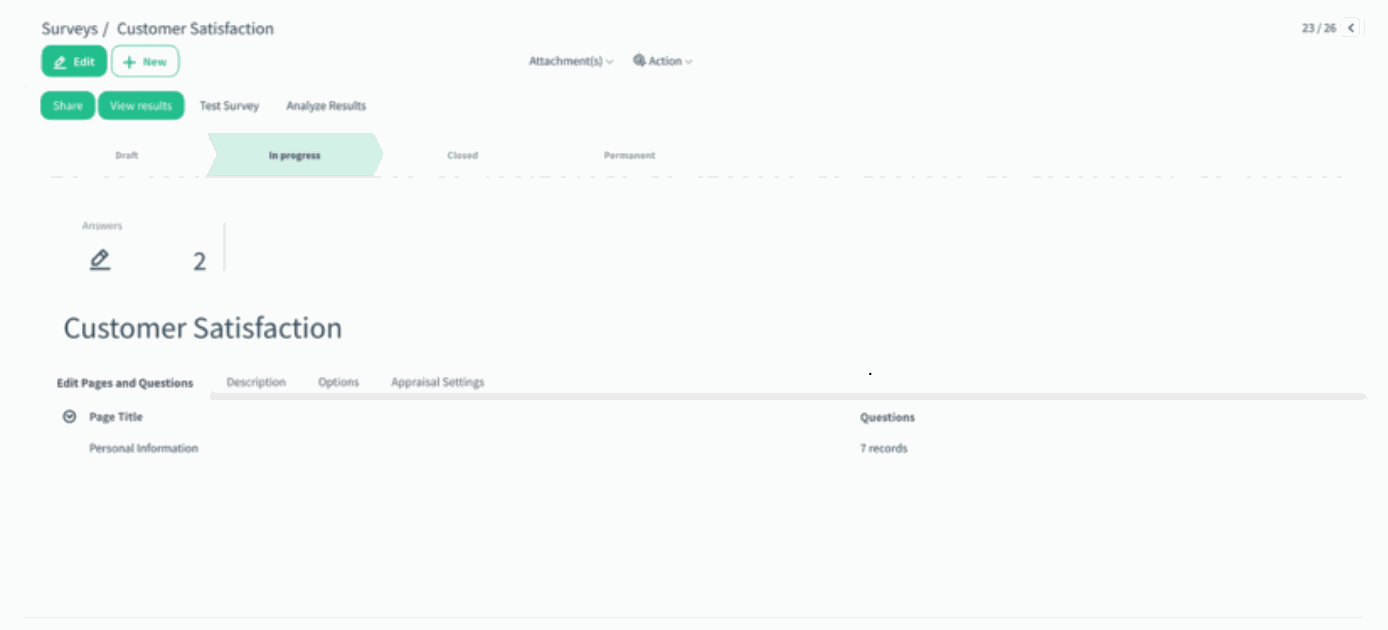
Overview: The previous “Share & Invite by Email” button has been streamlined to improve clarity and usability. The action is now simply called Share, and clicking it generates a secure, token-based link instantly. Users who want to send invitations by email can still do so, but the email options now appear only when needed, keeping the interface clean.
Updates:
1. Renamed & Simplified Button: The old Share & Invite by Email button has been replaced with a cleaner, more intuitive Share button.
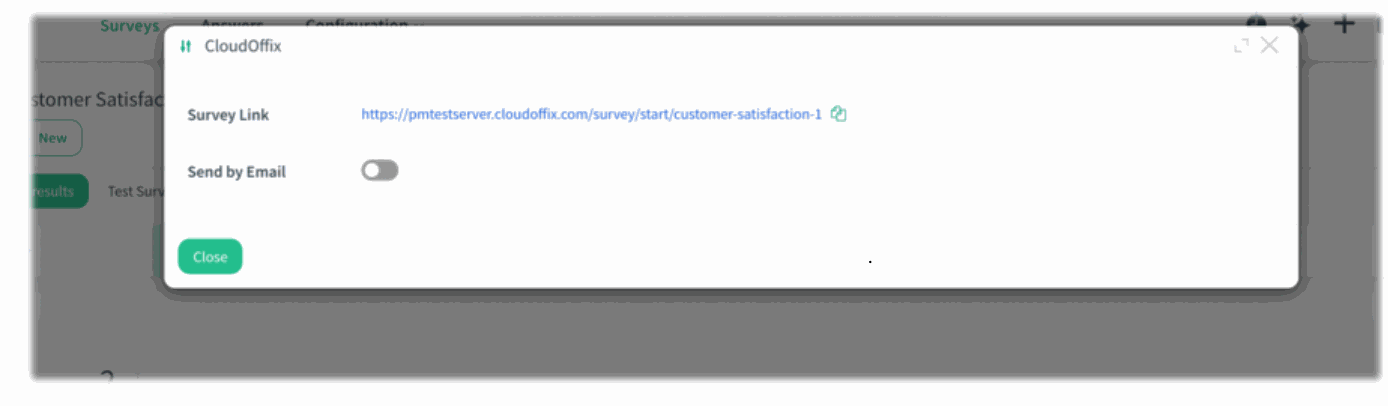
2. Instant Token-Based Link Generation: Clicking Share immediately displays the unique survey link so users can copy and share it in one step.
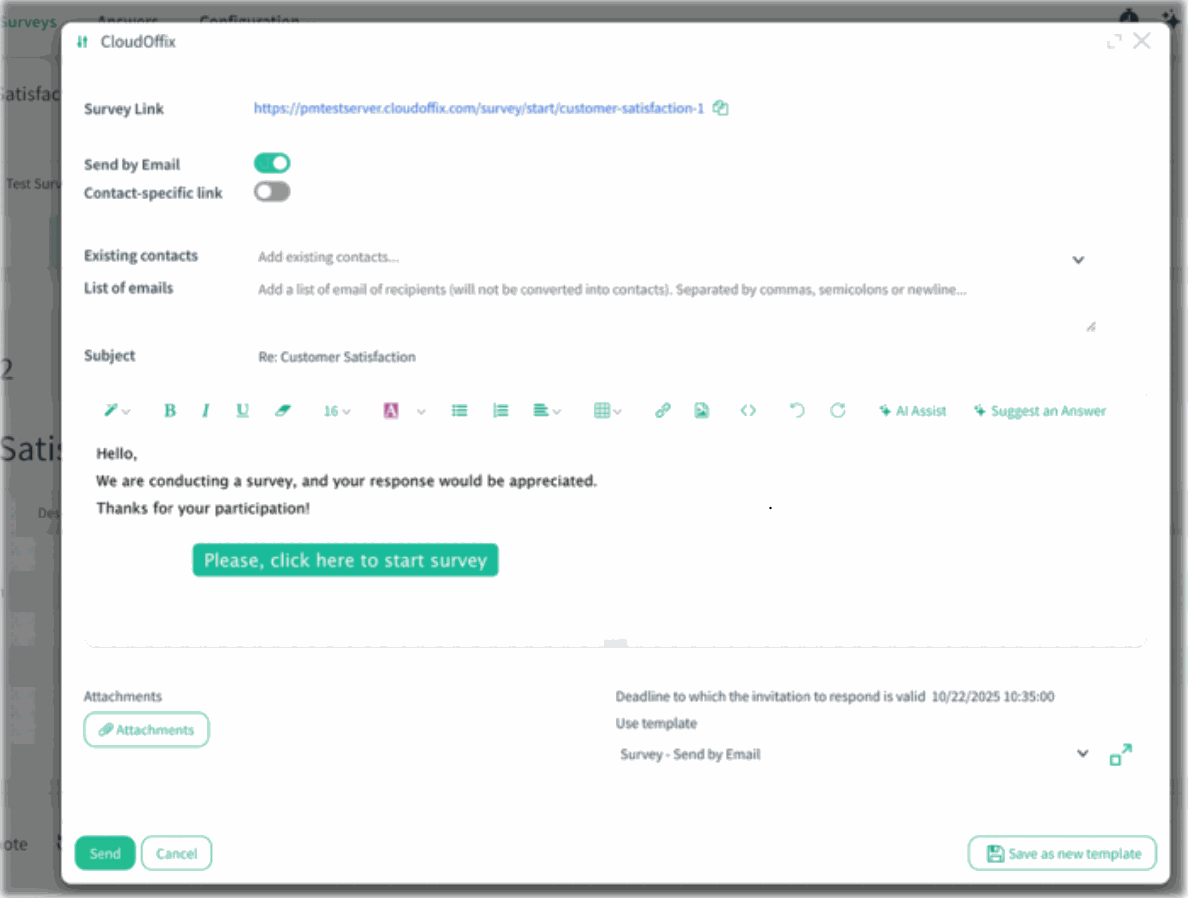
3. Optional Email Invitation Panel: When Send by Email is enabled, additional fields—Contact, Subject, and Email Template—become visible for sending structured invitations.
4. Contact-Specific Link Support: Users can also generate links tied to specific contacts for personalized tracking.
Benefits:
• Cleaner UI: Replacing the long button name with Share makes the interface more intuitive and modern.
• Flexible Sharing: Users can choose between link sharing or sending emails without clutter.
• Personalized Tracking: Contact-specific links offer better control and insight into individual responses..
How it works?
- Open the survey and click the Share button.
)%20-%202026-02-12T144448.571.png?access_token=3c1bab8f-447b-481b-98db-eeb56e3a7266)
- A secure, token-based survey link appears instantly and can be copied directly.
)%20-%202026-02-12T144641.397.png?access_token=5ff71f99-2b4f-4e16-8688-a756df423c24)
- To send the survey via email, enable Send by Email. Additional fields appear choose a Contact, define the Subject, and select an Email Template. If needed, switch to ContactSpecific Link mode for individual tracking.
)%20-%202026-02-12T145020.947.png?access_token=2cb4d26b-11a2-470d-82db-17a9e98299ee)