
Overview: The Round-Robin Assignment feature in the Support Module Settings ensures equitable distribution of support tasks among team members, optimizing workload management and team efficiency.
Benefits: This feature promotes a fair distribution of tasks, preventing workload imbalances and improving response times to support requests. It ensures that each team member contributes to support activities, leading to a more efficient and collaborative support environment.
How it works?
Tip: To use the feature, enable Round Robbin Assignment option from Support Module -> Configuration -> Round Robbin Assignment.
- Go to Support Module in Helpdesk Cloud
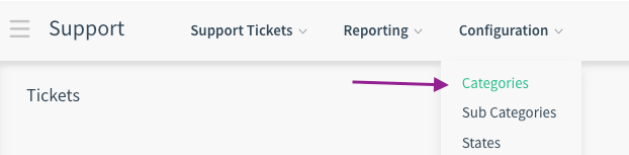
 -On the Configuration menu, click on the Categories menu and select the category you want to apply round-robin assignment.
 -On the Auto Assigned Users tab, you can add the user you want to include the round robin assignment
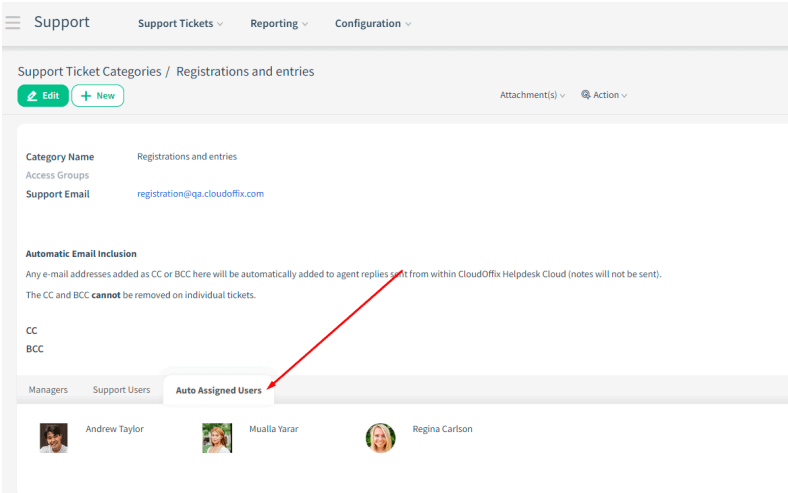 This way, you can ensure that support tickets are assigned to the users you specify in that category in order.