
Overview: Elevate your business processes with an enhanced Substitution feature, incorporating advanced logic, XML group support, and optimized session management. Experience a more powerful and flexible system for managing user roles and permissions within your organization.
Benefits: This feature is useful when an employee is inactive for a period of time and needs to authorize some members of their team to ensure continuity of current work. The Substitution structure to be created will not provide a solution to record rules, it will only add them to groups.
How it works ?
Prerequisites: Please Install Substitution (co_substitution) app firstly.
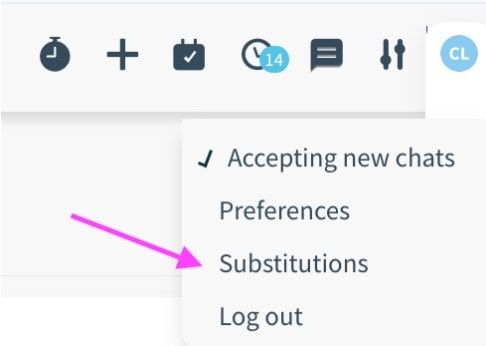
- Click on the user avatar. After, click Substitutions item in the list
- On the Substitutions page you can see the list of active and inactive substations. To create new one, click New button.
- After filling the fields you click save button.
Tip: User field is filled automatically with current user. If you need, you can change the user.
Warning: You can not activate substitution before Start Date.
Tip: The group field is listed filtered according to the user's groups.
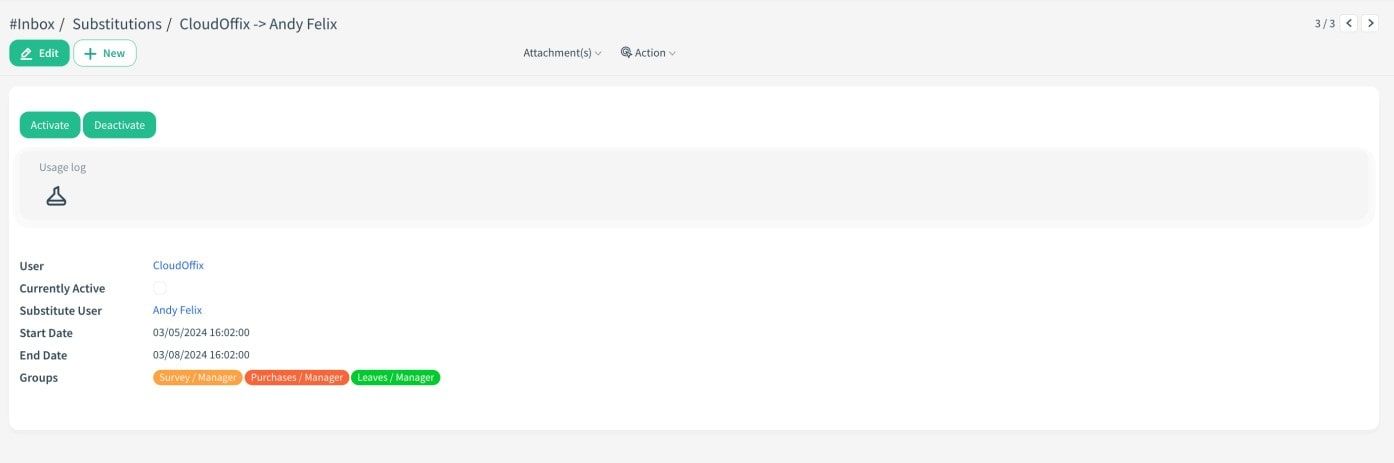
- Click Activate button.
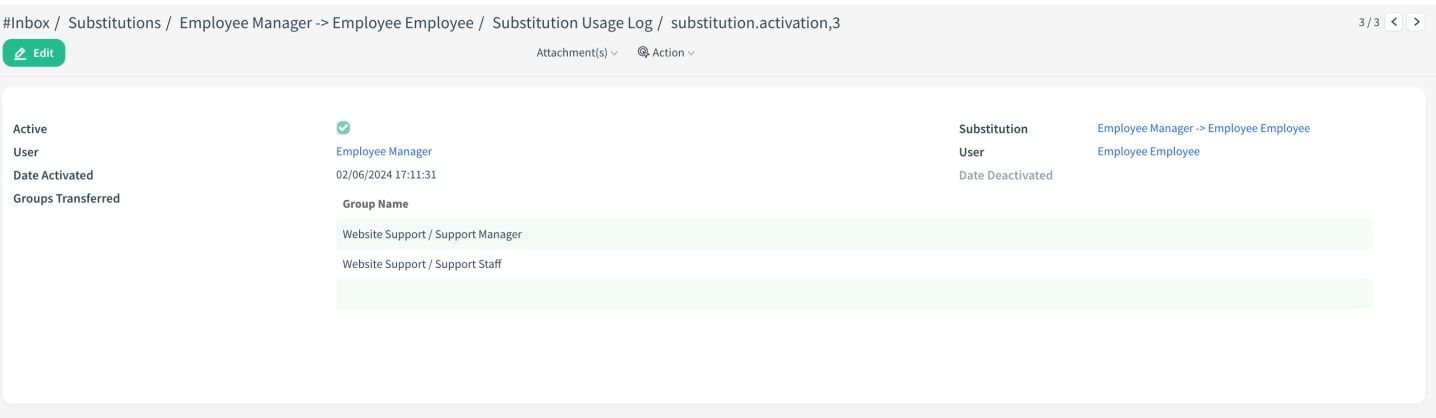
- After clicking activate button, user’s groups will be transferred to substitute user.
- You can see the activity of the Substitution from Usage Log stat button.
Important Warning: It should be noted that this substition structure is a basic structure where the user's groups are passed to the substitute user. For more advanced features, the process should be carried out with the customization team.