
Menu
New Features
08 Januar 2025
Overview: Resource Allocation now includes the ability to automatically create calendar events, streamlining scheduling processes.
Updates:
1. Automatic Calendar Creation:
Available as an optional setting in Resource Allocation.
Benefits:
- Simplifies event scheduling by automating calendar creation.
- Reduces manual workload and improves time management.
How it works ?
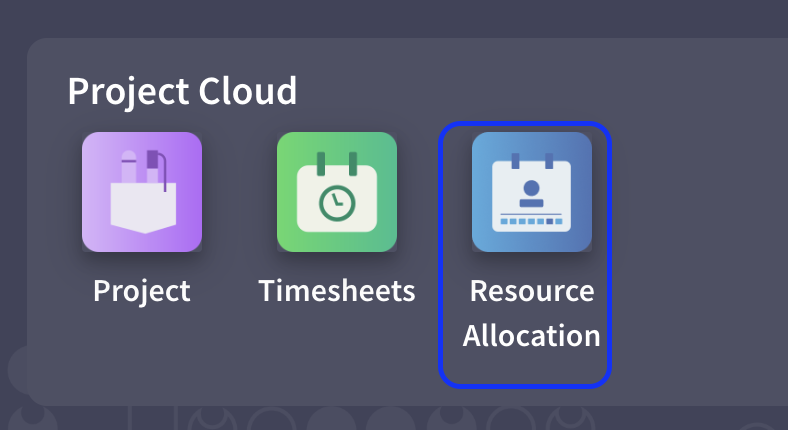
- Go to Resource Allocation App from Project Cloud.
- Then, click on Settings from Configuration menu. After, select, “Enable to Create Calendar Event” option and save the settings.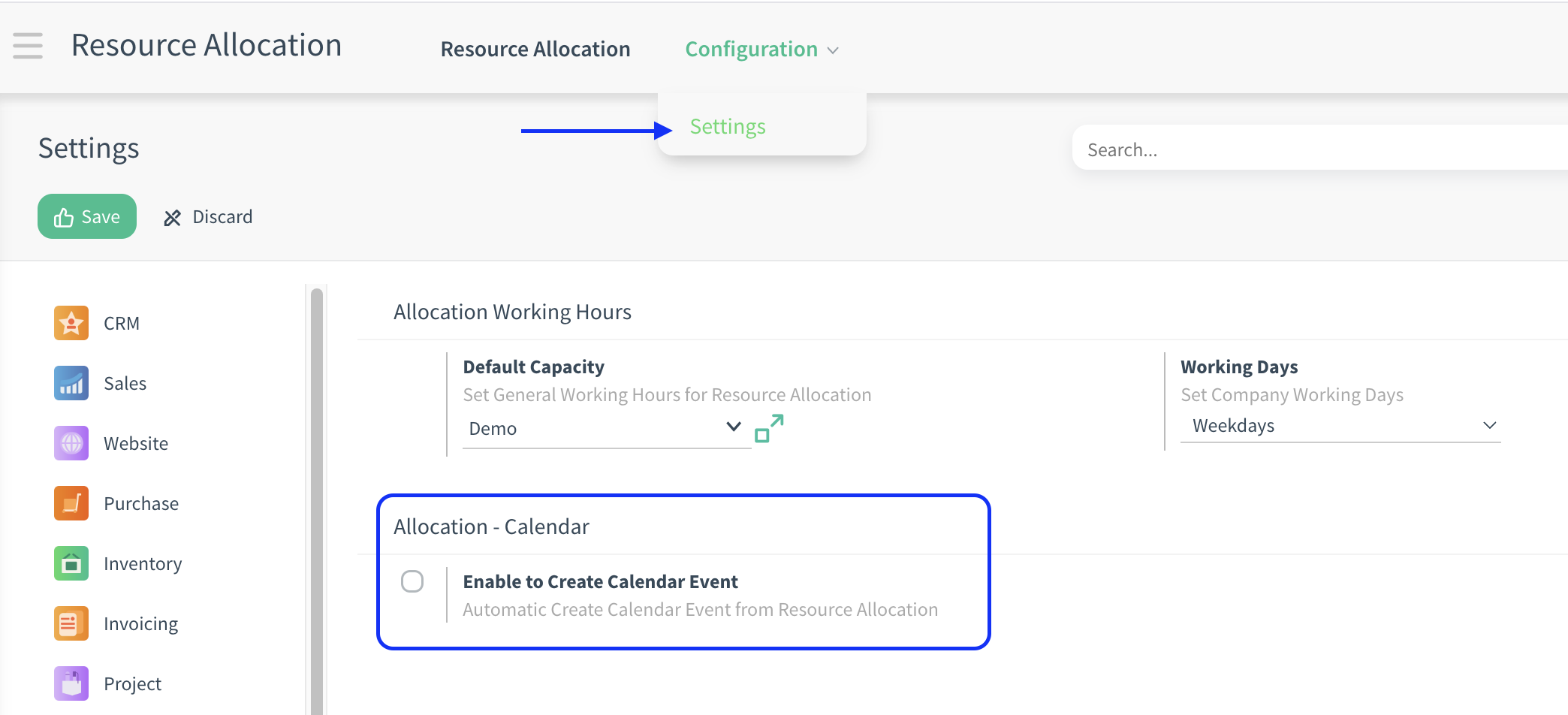
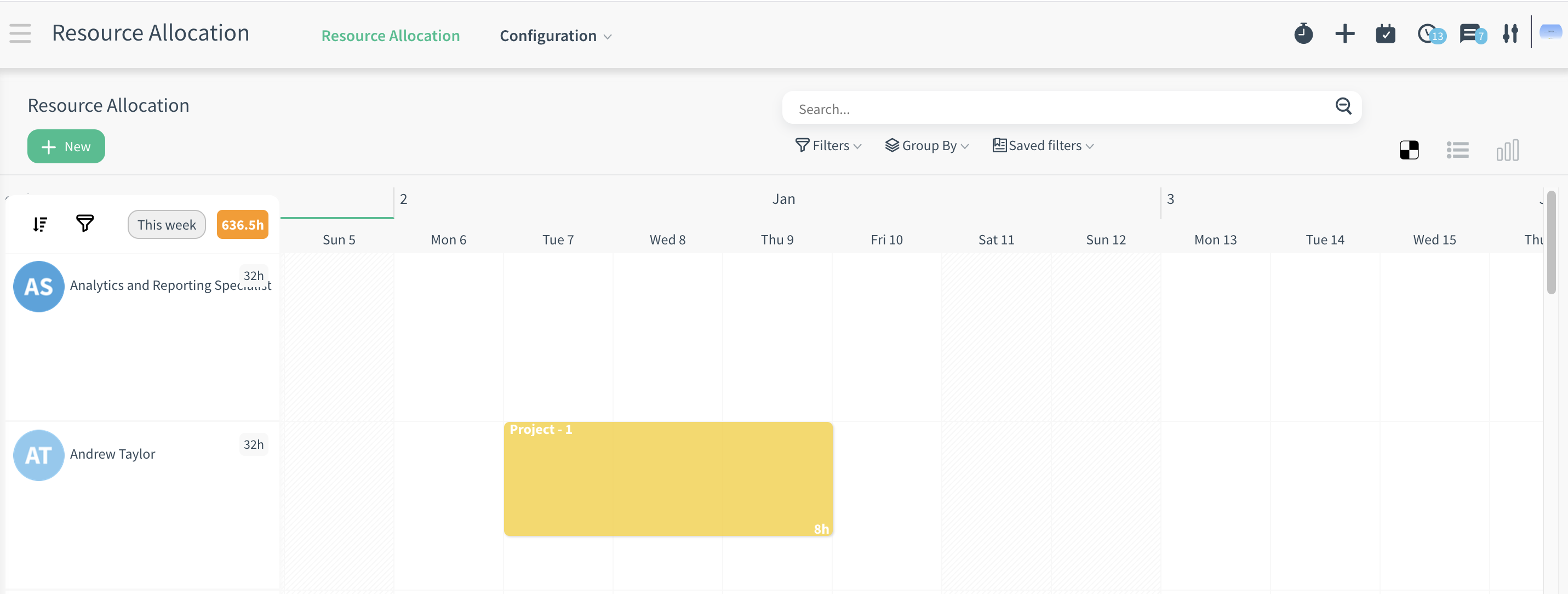
- Then allocate an employee’s resource from resource allocation page.
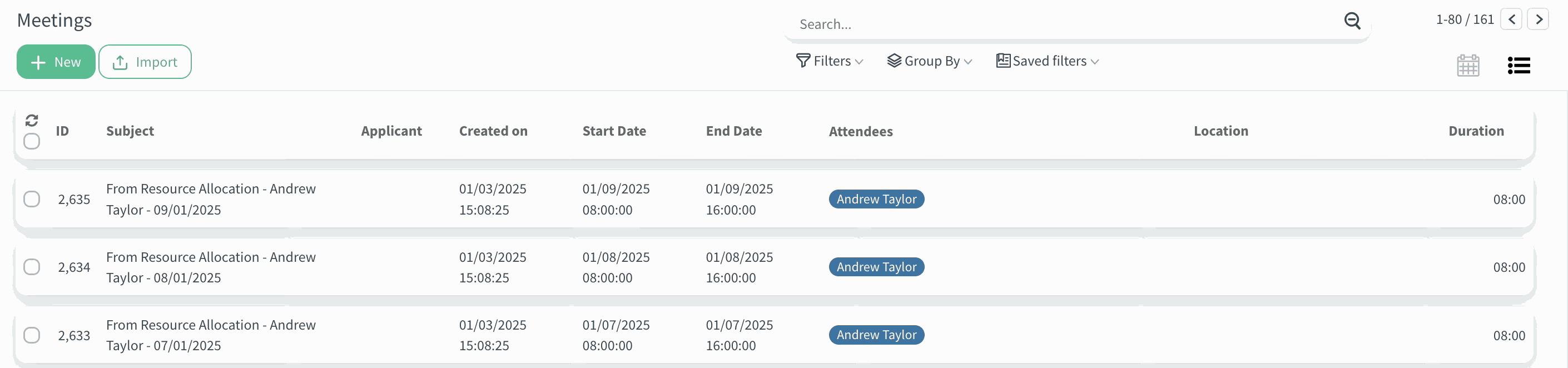
- Then, you can see this allocation on Calendar app.
CloudOffix Insights
Want more posts like this?
Explore the blog for similar articles.
Browse All Articles