
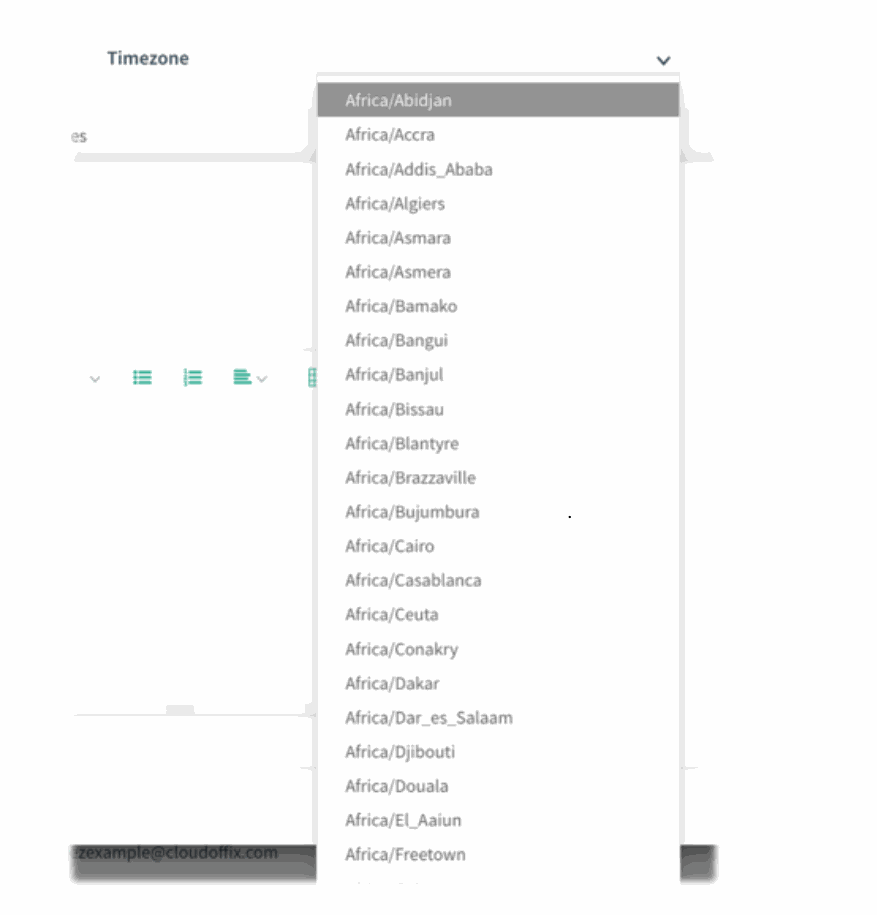
Overview: Selection menus across CloudOffix have been upgraded with full search capability. Previously, users had to scroll through long dropdown lists to find an item, especially in large selections like Time zone. Now, items can be filtered instantly by typing, making selection significantly faster and more intuitive.
Updates:
1. Search Support Added to Selection Fields: All selection menus now support real-time search. Typing filters the list instantly based on the entered text.
2. Improved Navigation: Long lists no longer require scrolling through dozens of items. Users can directly type a few characters to show only matching options.
Benefits:
• Faster Selection: Users can immediately locate the desired option by typing, instead of manually scrolling through long lists.
• More Efficient User Experience: Searching reduces time spent on configuration tasks and minimizes selection errors.
How it works?
- Open any screen with a selection field — for example, Timezone in User Preferences
)%20-%202026-02-12T161319.884.png?access_token=3035415e-1937-449d-865c-cfaef09e9f8c)
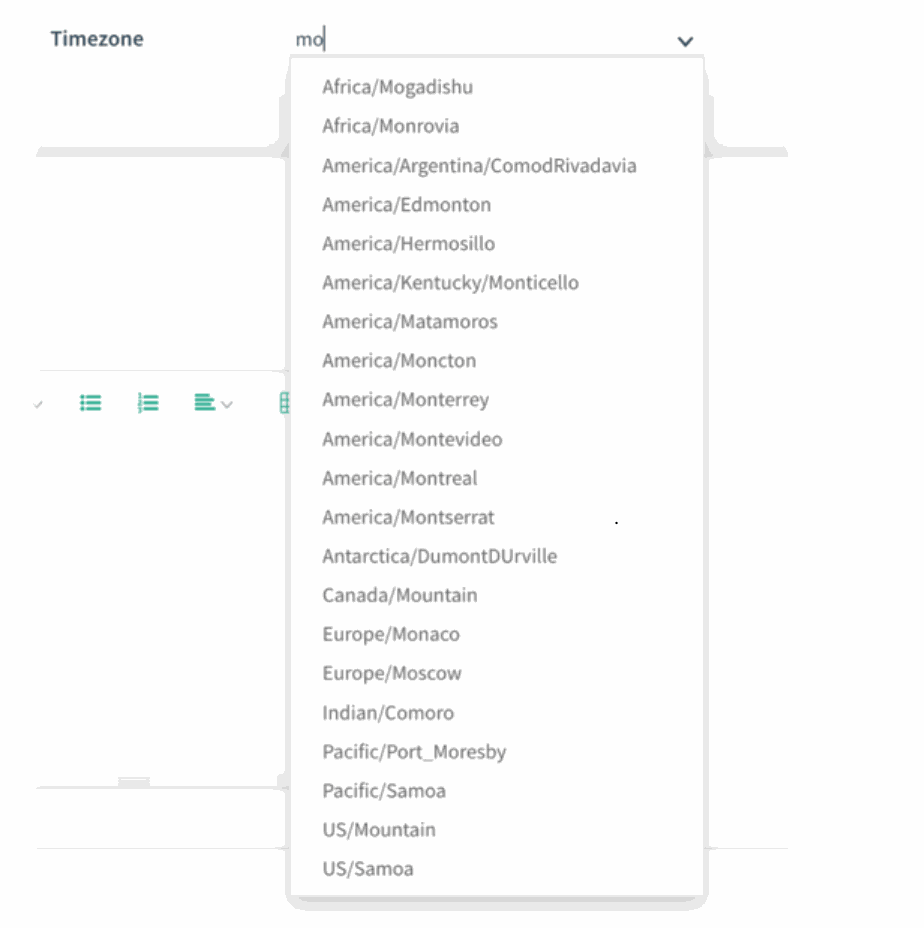
- Click on the dropdown and start typing. As you type letters like "mo", the menu filters itself to only show items containing that text (e.g., Monaco, Montreal, Mountain).
)%20-%202026-02-12T161754.403.png?access_token=18a9f6ba-1691-4b5b-bdd2-cb37618e94be)
- Select the desired option directly from the filtered list, without scrolling.