
Traditional CRM is outdated, we’re fixing it.
CloudOffix Sales Cloud unifies pipeline, operations, and AI — turning
fragmented sales processes into one connected revenue engine.
Sales Automation
Automate routine tasks that take up valuable time

Aday/Potansiyel Müşteri Yönetimi
Capture leads through various channels, score and identify leads that have high probability to convert and follow up

Contact Management
Connect through many available channels with your customers, build strong relationships

Workflow Management
Create time-saving workflows, cutting out the required manual work for tasks such as updating fields
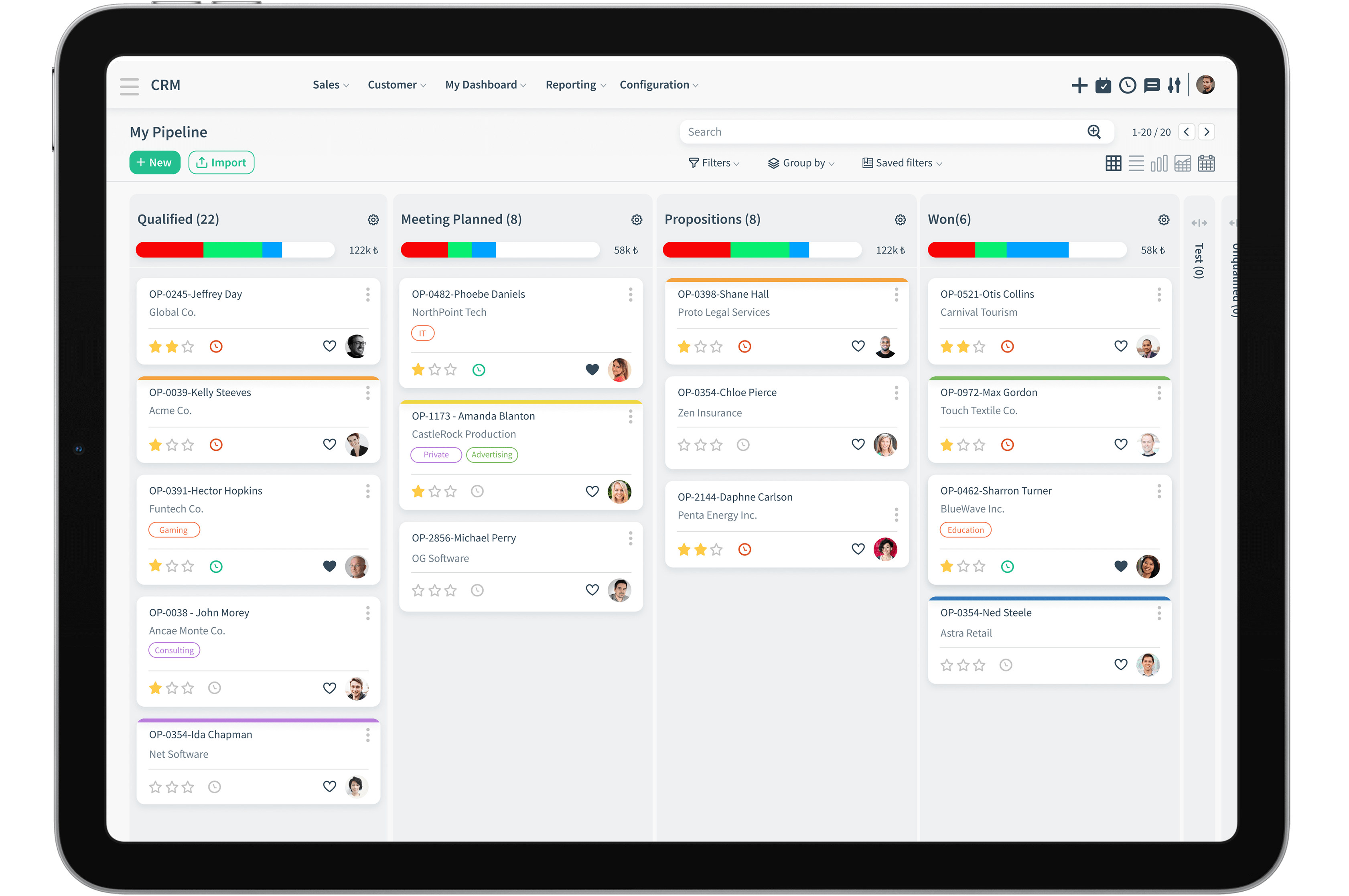
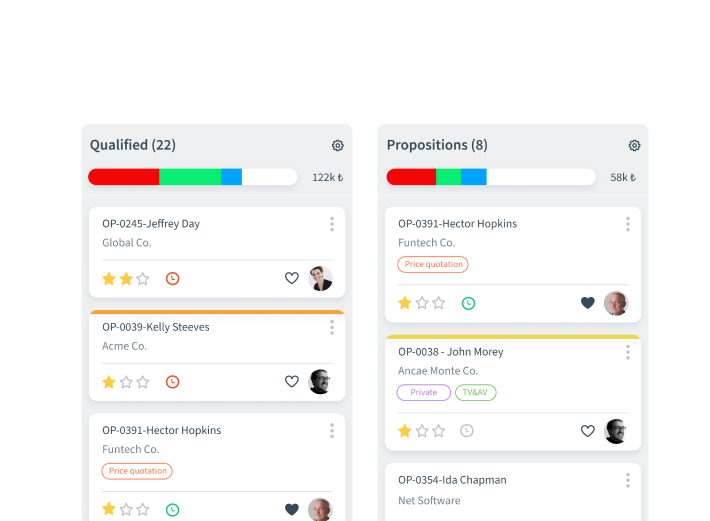
Kanban View
The kanban view allows you to see everything at one glance. See all your opportunities and their stages. Your salespeople will always know where they're at with each opportunity and take the next best step towards a sale.
Sales managers can view the potential revenue and guide their sales marketing team accordingly. All activities whether upcoming or complete are visible, which means you'll never be lost.
Multi Channel

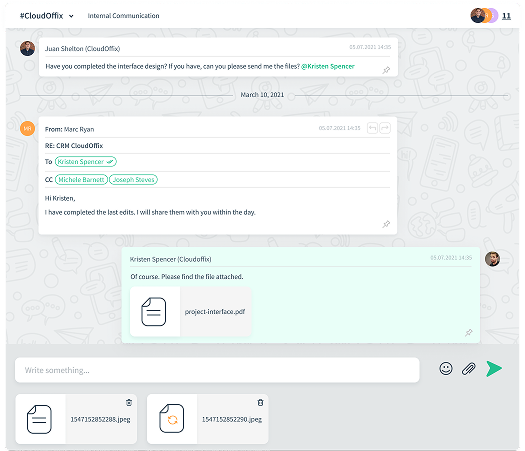
Manage your emails completely within CloudOffix. Send and respond to emails, where they will stay and be readily accessible.

Social
Integrate your social media to sell your products through more channels.

Customer Portal
Provide customers a self-service portal where they can log in, view and purchase your products.

Analytics

Reports
Real-time accurate reporting of your sales trends, marketing campaigns, activities and performances with Gantt charts, bar graphs, and line graphs.

Analysis
Analyze trends and stay ahead of your KPI's and know where you are in terms of your targets.

Forecasts
Make informed decisions by using sales forecasts and help your business grow.

Dashboard
Customizable screens which users can make up and alter to their liking.
Sale Away
Create and Capture Leads Through Various Channels

Create leads from contacts

Web live chats

Daily website visitors

E-mails
There are many ways to source leads. A customer relationship management system with a good lead management tool would help substantially in capturing your leads through various channels
Sales Processes
-
Assign to Relevant Sales Team Members
Assign leads to the appropriate sales reps to ensure relevant attention. As leads come in as a result of the efforts of the marketing staff, it's time to pass the ball along to sales reps to nurture the leads even further as they get closer to closing the sales deal.
-
Follow your favorite Leads
Add Leads as favorites, so you can closely monitor them even if they haven't been assigned to you. Follow leads as they make their way through your sales cycle. The easiest way to do this is to mark them as favorites
-
Convert Leads to Opportunity
Quickly and easily convert qualified Leads to Opportunities and follow the stages through to close the sale with the click of a button.
-
Manage Opportunities in their Stages
As qualified leads turn into opportunities, follow their stages through to closing a deal. Sales opportunity management with an effective sales pipeline management in place will ensure to boost your sales. Stages will help you effectively manage your opportunities can also be seen as part of a stage of sales.
-
Stay connected with your customers
Assign the right account manager to produce cross selling opportunities, uphold customer satisfaction at the highest level and levitate your business overall.
Expand your horizon
Carry your sales to online.
Make the most of the Sales Cloud and the native integration with E-commerce and build your complete sales empire.

Inventory
Create your product pages with photos in minutes and track inventory.

Sell online
Process secure online sales using natively integrated payment gateways.

Process
The domino effect begins with the sale continues with invoicing and ends with delivery
Closing the Deal
Web sitesi Oluşturucu
Drag & Drop
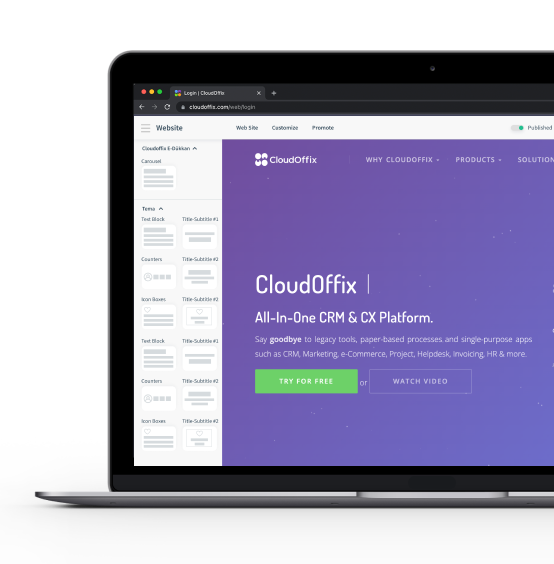
CloudOffix CRM comes with a free website builder, which requires no coding knowledge at all due to its magnificent drag and drop convenience. With a good email marketing plan which you can implement and track through your website, you can begin to sell products in no time
HTML Form Builder
Build HTML Form builder feature on your website to collect relevant information about your customers. Collect leads and contacts.
Code Your Own Website
Use HTML to set up the text 'styles' you would like to appear on your website. Use CSS to customize the font, font size, where you would like your text to be situated on your beautifully designed new website's page.
Track & Optimisation

Visitor Tracking
Track and understand your customer's behavior.

Page Tracking
Track each page you create if you like. See how many clicks each page received and which pages get the most attention.

SEO Optimization
Improve your visibility on search engines with our SEO integration. Define your keywords, give your pages meta descriptions and tags to let your pages run in the search engine game. Be findable, not just searchable


Performance

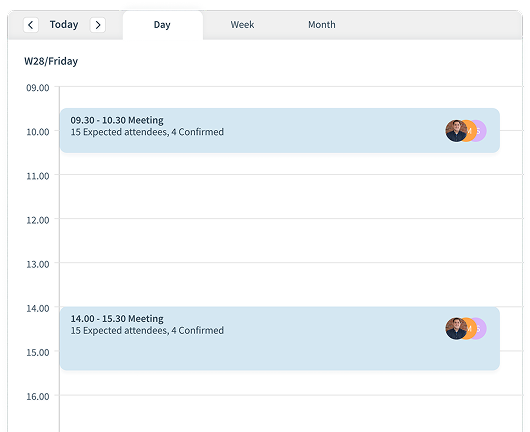
Forecasting
Predict future sales, measure current sales, and make more informed decisions.

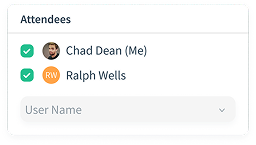
Territory Management
Categorize customers and assign them to the relevant sales reps to connect with them.
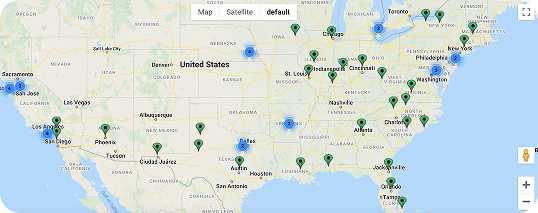
Map View
See where in the world contacts are located through the Google Maps integration.
When sales representatives are planning site visits, they can get straight down to business at street view and even plan their parking!

Customization
Out-of-the-box, one size fits all solutions don't do justice for all businesses. CloudOffix offers the opportunity to customize and make it your own.
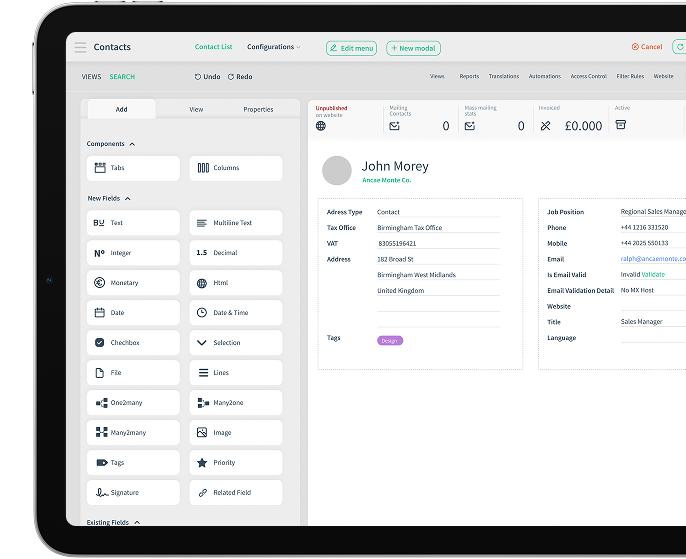
No Code Approach
Introducing the App builder





Low-Code Approach
Whenever you fall short, or simply want something completely different, We can save the day! Our dedicated development team can tailor-make your platform to fit just right.
Super custom made business platform solution for super unique businesses!