
Overview: Campaigns has been completely redesigned by merging — and upgrading — the old Link Tracker application. While Link Tracker used to provide only basic click-tracking, it did not support full attribution, performance measurement, or end-to-end campaign insights. Instead of jumping between Link Tracker, Email Marketing, SMS and separate reports, you can manage budgets, links, logs, partners, and results from a single workspace and clearly measure each campaign’s ROI — from first click to final sale
Updates:
1. Link Tracker Integrated & Greatly Expanded: The old Link Tracker module is now fully embedded into Campaigs. It no longer functions as a simple click counter — all tracking, logs, and attributions are centralized.
2. Automatic Partner & Contact Matching: When a user clicks a trackable link: o If the system recognizes the visitor → it immediately links the contact. o If the visitor is unknown → we track them for up to 6 months. If they submit any form during that time, CloudOffix automatically matches them and creates/links the contact.
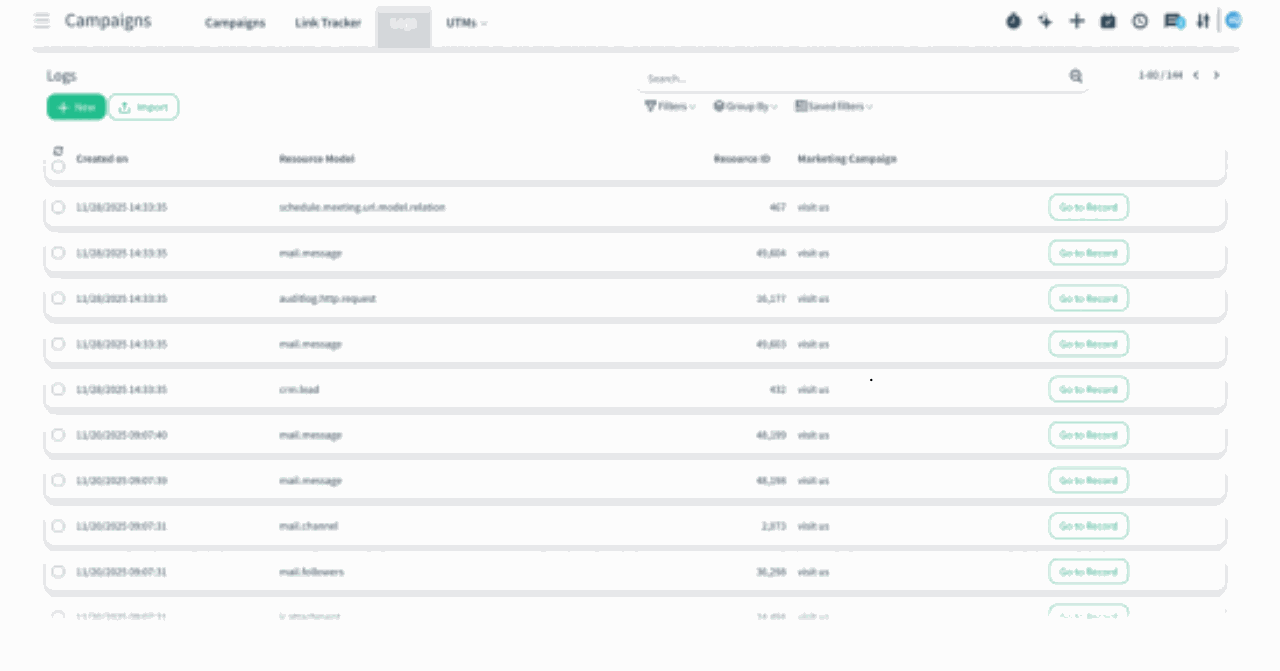
3. Centralized Campaign Logs: All interactions now appear under the campaign’s Logs tab: o Link clicks o Website visits o Form submissions o Redirects o Resource actions § Each log clearly shows timestamp, resource model, resource ID, and related campaign.
4. Unified Trackable Link Table: Every generated link is directly connected to the campaign and produces structured logs for reliable attribution.
5. Enhanced Click Analytics: Clicking on a link’s stats now opens list view first for clearer auditing. Users can switch to graph mode, which defaults to Group by Country for instant geographical performance insights.
Benefits:
• All-in-One Visibility: Every part of the campaign — budget, leads, logs, conversions — is now in a single place.
• Measurable ROI: Track how many leads, opportunities, quotations, and sales were generated.
• Reliable Attribution: Understand exactly which partner or link contributed to the campaign success.
• Data-Driven Decisions: Export logs, analyze behavior, and optimize budget where it performs best.
How it works?
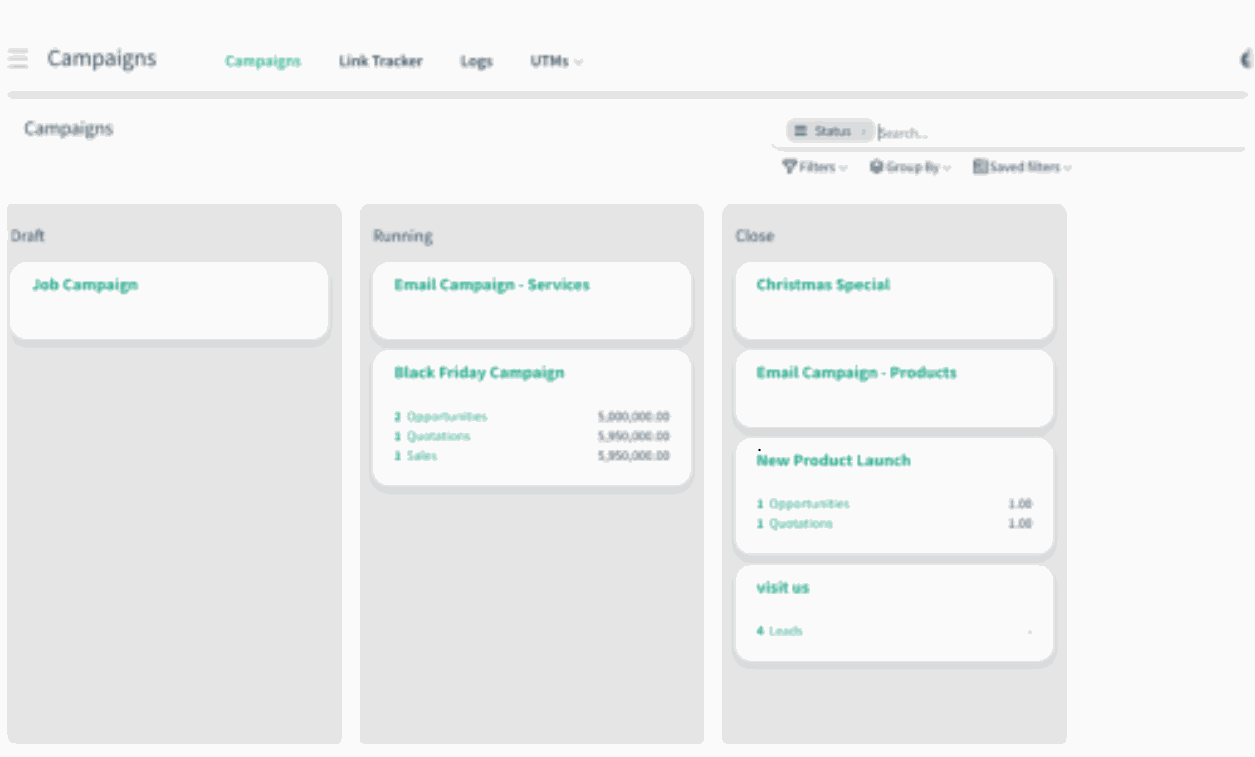
- You start by entering the Campaigns application. The screen shows all campaigns grouped by status (Draft, Running, Close).
)%20-%202026-02-13T085821.373.png?access_token=6cd5bc1a-7c66-4196-9734-fd0aab2752d8)
)%20-%202026-02-13T085854.550.png?access_token=0103d134-62f8-4089-b89d-c3b12ec719f6)
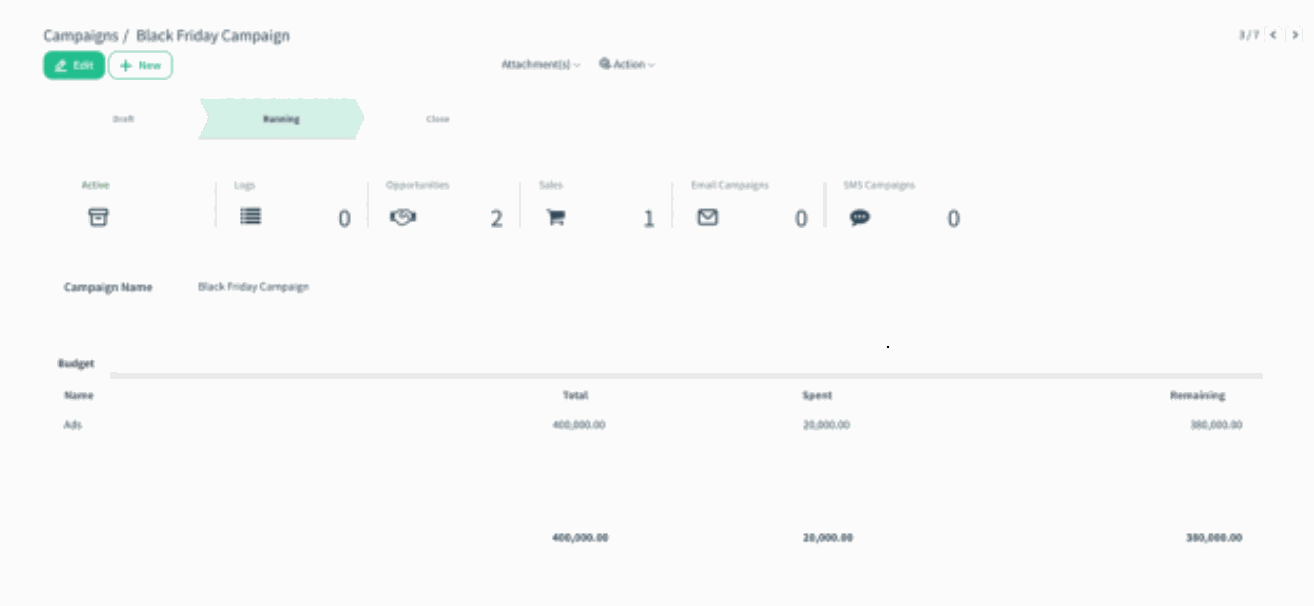
- When you open a campaign, you immediately see everything connected to it:
• Budget • Logs • Opportunities • Sales • Email & SMS campaigns
You can manually enter or adjust the budget and instantly track how much has been spent vs. remaining.
)%20-%202026-02-13T090438.727.png?access_token=2d9eee53-61c5-4289-be17-66630b67f504)
- Inside the campaign, you can monitor its success:
• How many leads were generated
• How many turned into opportunities
• How many quotations & sales were created
• Total revenue attributed to the campaign Everything is calculated in real time.
- The Logs section consolidates all campaign activity in one place. Here you can see:
• Every click • Every visit • Every form submission • Every redirect • Each resource linked to the campaign
You can also drill into logs by clicking Go to Record, allowing full traceability.
)%20-%202026-02-13T090829.954.png?access_token=5be86358-4fdc-4240-b914-8527c1ff832d)