
Overview: The ticket merge process in Support has been redesigned to prevent accidental merges and provide a much clearer workflow. Previously, all related tickets appeared preselected with no warning, causing users to merge items unintentionally. The new experience removes auto-selection entirely and gives users full control over which tickets will be merged into the main ticket.
Updates:
1. Manual Selection Required: No tickets are pre-selected anymore. Users must explicitly choose which tickets to merge into the main one.
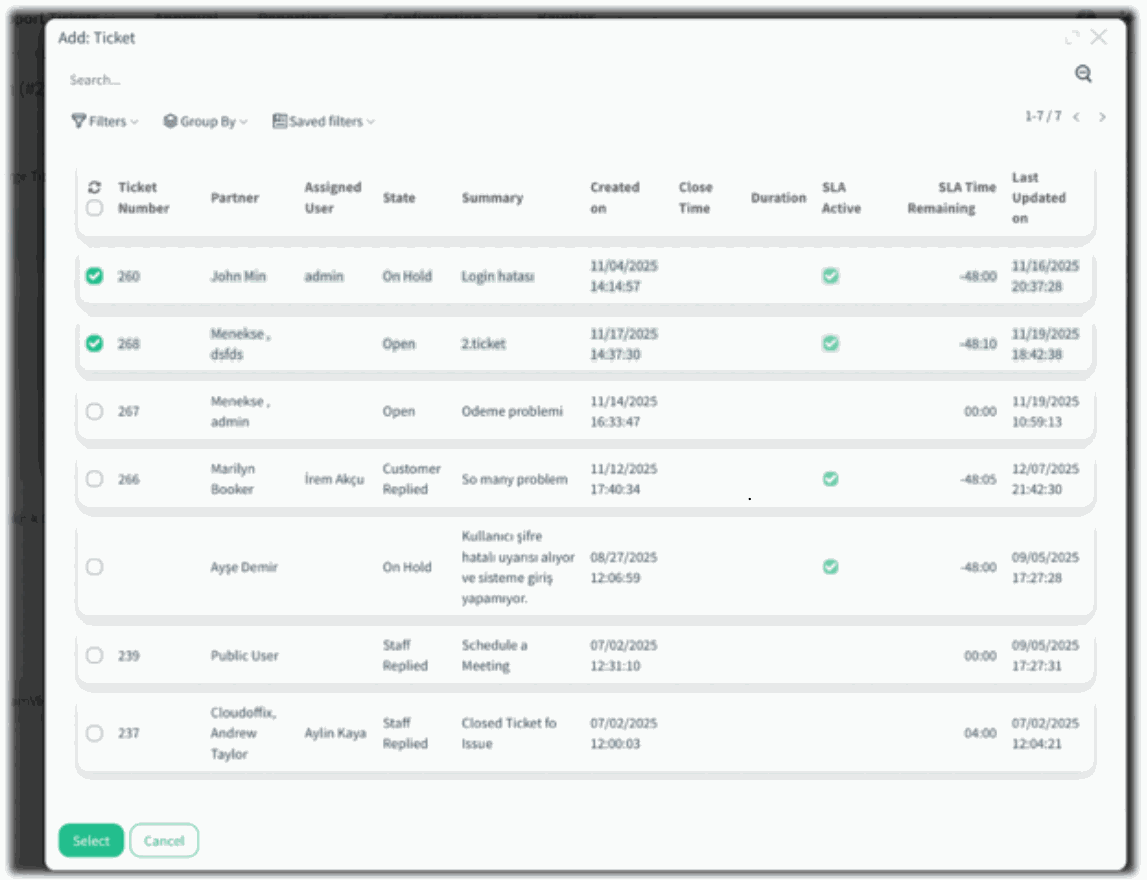
2. New Selection Dialog: A detailed, structured table now appears when adding tickets. Users can see ticket numbers, states, summaries, and SLA information before selecting.
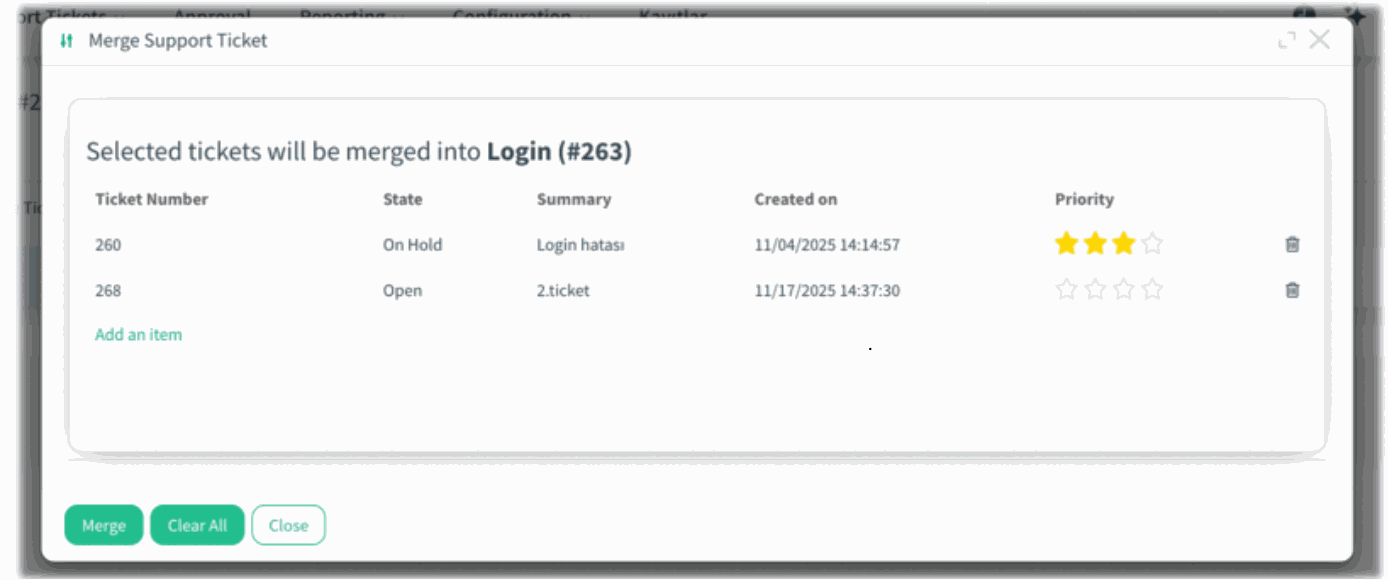
3. Clear Merge Preview: Before merging, a preview screen shows exactly which tickets will be merged.
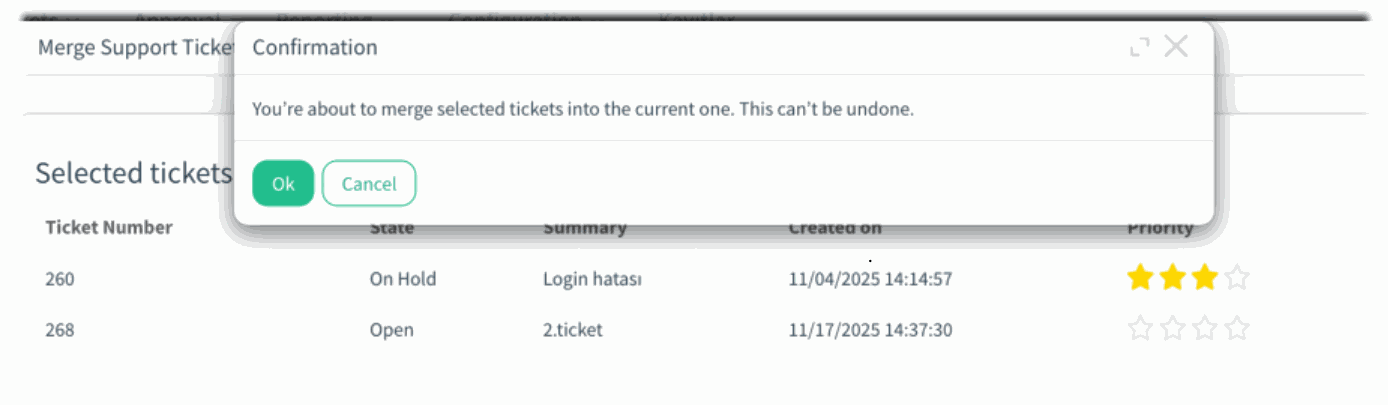
4. Final Confirmation Step: A new warning message appears, informing the user that the merge cannot be undone.
Benefits:
• Safer Merge Operations: Eliminates accidental merges by requiring manual selection and adding a final confirmation screen.
• Better Visibility: Users can review all ticket details before merging, ensuring full clarity and control.
How it works?
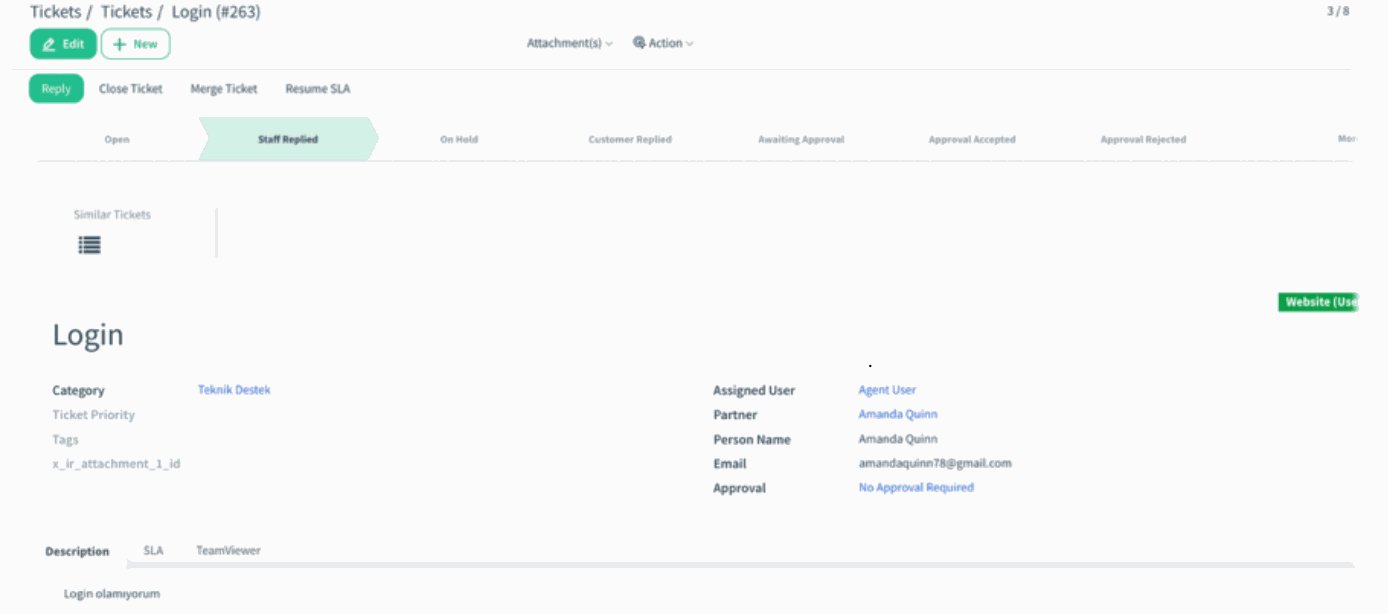
- Open the main ticket and click Merge Ticket.
)%20-%202026-02-12T150205.161.png?access_token=c894629d-23c8-4b86-9c7f-b8d0dfd08c3f)
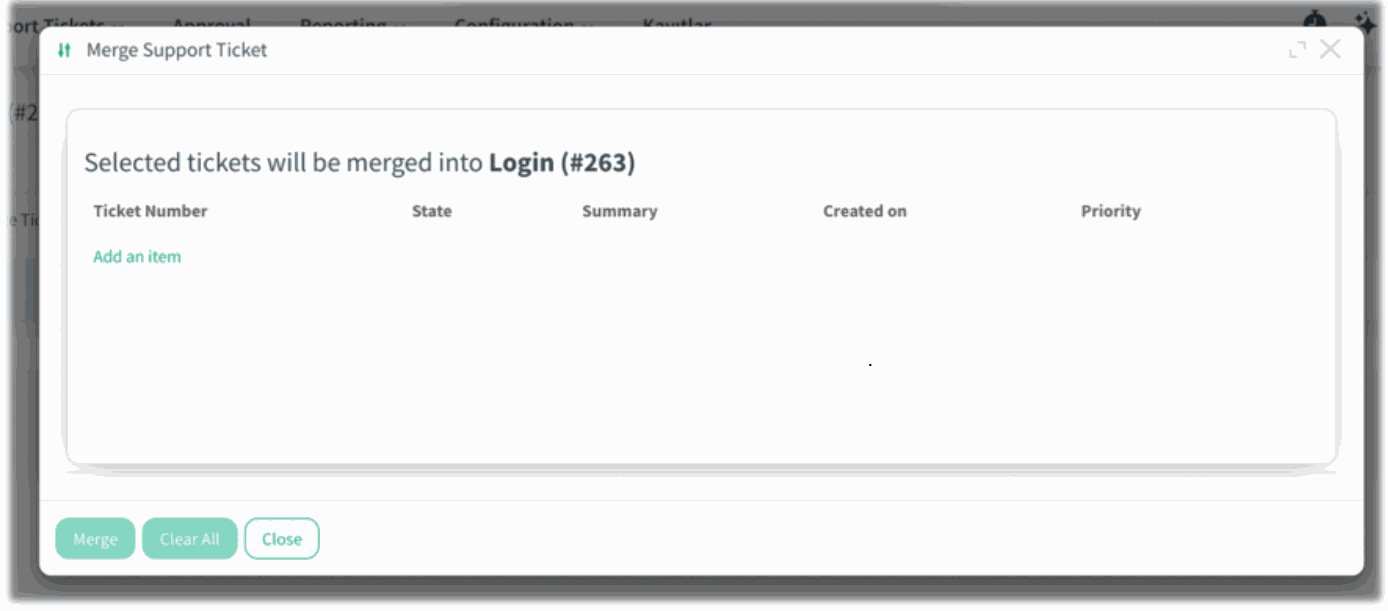
- A message at the top explains that you must select the tickets you want to merge into this record. Click Add an item to open the ticket selection dialog. Choose from the detailed list showing ticket numbers, states, summaries, SLA details, and more.
)%20-%202026-02-12T150341.410.png?access_token=85b6c61e-c44e-4a34-a583-918bfcaa1a07)
)%20-%202026-02-12T150525.563.png?access_token=87c7f873-9f32-422c-b93d-ef933d56fe4a)
After selecting, a preview page displays the exact tickets that will be merged.
)%20-%202026-02-12T150639.288.png?access_token=b6037e92-5c1d-4e09-839f-fe79cbe3889a)
- Click Merge and confirm the final warning message indicating that this action cannot be undone.
)%20-%202026-02-12T150841.964.png?access_token=5672945a-019b-46b8-a2f5-9848176f0caa)
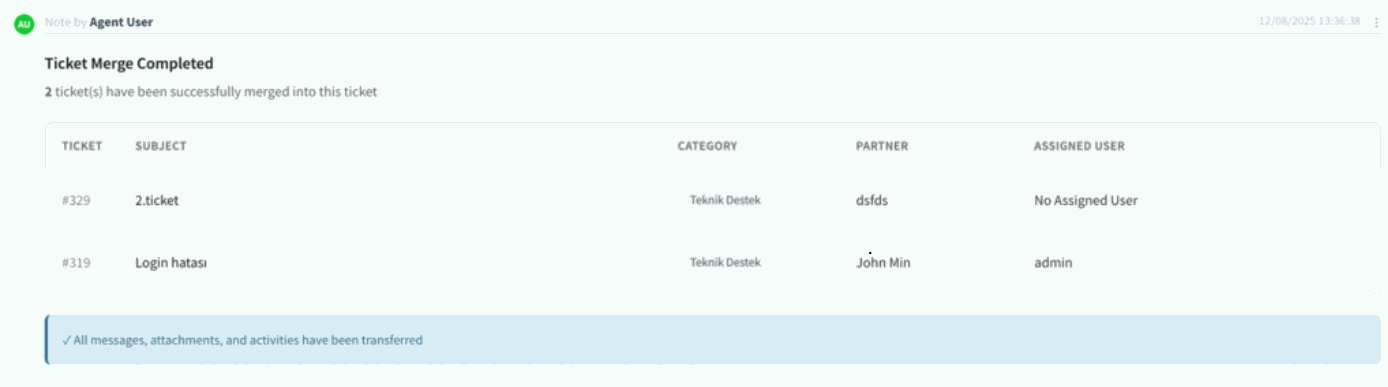
- Once completed, the chatter logs a clear summary listing all merged tickets, including their subjects and categories.
)%20-%202026-02-12T150956.960.png?access_token=3bce605b-36a6-468e-a530-203e3faf0fec)